Certificates
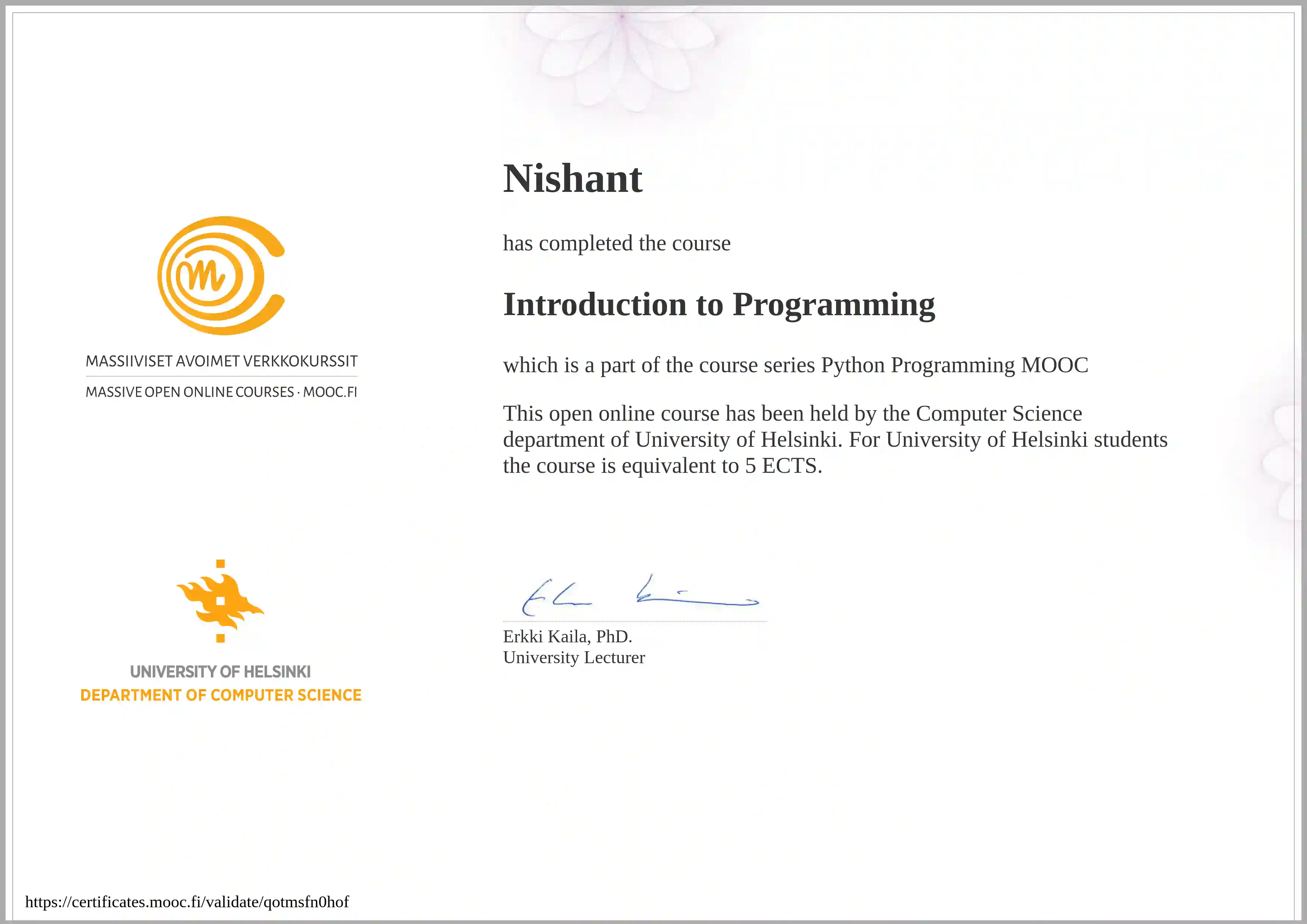
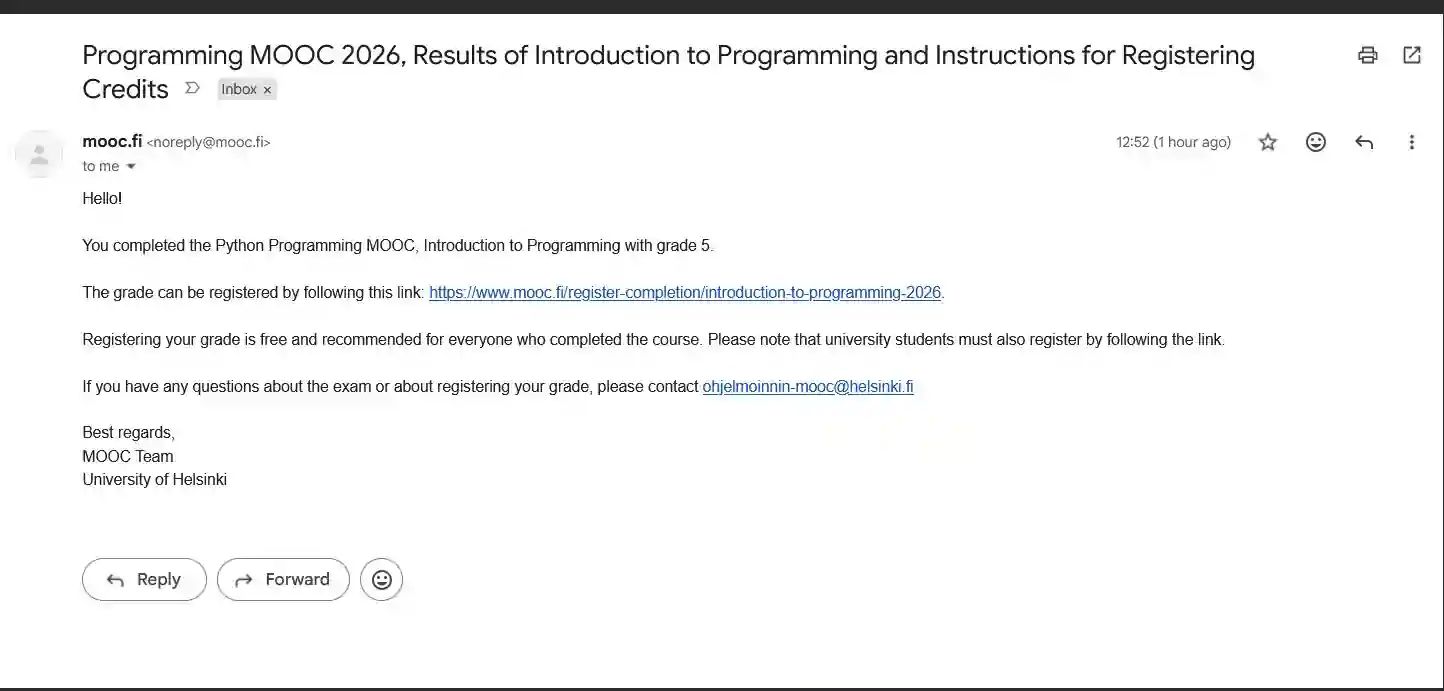
Source
Introduction to Programming course (BSCS1001, 5 ECTS) is now Complete. Review here.
This has to be one of the best courses out there and I can't believe it's free while also having an exam with graded marks and certificate.
I was so confused about dictionaries, single iterables, tuples before now I just took an intro exam and I basically ace-d the whole exam.
Hands-on is definitely the way to go.
Learnings
"Read the questions completely first. You always over-engineer when the questions are very simple.""
"DON'T TRY TO CRACK THE GAME OR THINK YOU ARE GOING TOO FAR IF YOU ARE THINKING IN A DIFFERENT WAY THAT INTENDED. SOLVE IT HOW YOU BEST THINK IS BEST.""
READ THE DAMN QUESTION! YOU ALMOST ALWAYS ASSUME A HARDER QUESTION THAT IS BEING ASKED, SOMETIMES, THE OPPOSITE
You have to constantly think about the cached data in every new method.
just pass key .. You will learn about it soon enough.
Caching data has it's upsides and downsides
sort also takes a key value which can be helpful in sorting lists of objectsRemove by object in lists exists. You don't have to find the index and then remove it.
remove method exists
len() is better than looping and counting in dictionary
len() reads the dictionary's size directly from the object, in constant time — it doesn't iterate at all internally.
-LLM(Please verify)
Idiomatic: peculiar to a particular group, individual, or style
"this is what a Python code reviewer would expect to see" than a hard rule.
-LLM(Please Verify)
Single line iterables are preferred as per PEP
As per PEP, single line iterables are preferred.
  # your style
  total = 0
  for item in data.values():
      total += item['students']

  # generator expression style
  total = sum(item['students'] for item in data.values())
The critical mechanical difference from your for-loop: the generator expression does not run all at once and build something. It runs item-by-item, only as sum() asks for the next value. sum() asks for one, adds it, asks for the next, adds it, etc. Nothing is stored — there's no intermediate total variable you manage yourself; sum() manages that internally.
-LLM(Please verify)
It is proposed to allow conditional construction of list literals using for and if clauses. They would nest in the same way for loops and if statements nest now.
PEP 202:: List comprehensions provide a more concise way to create lists in situations where map() and filter() and/or nested loops would currently be used.
>>> print [i for i in range(10)]
[0, 1, 2, 3, 4, 5, 6, 7, 8, 9]

>>> print [i for i in range(20) if i%2 == 0]
[0, 2, 4, 6, 8, 10, 12, 14, 16, 18]

>>> nums = [1, 2, 3, 4]
>>> fruit = ["Apples", "Peaches", "Pears", "Bananas"]
>>> print [(i, f) for i in nums for f in fruit]
[(1, 'Apples'), (1, 'Peaches'), (1, 'Pears'), (1, 'Bananas'),
  (2, 'Apples'), (2, 'Peaches'), (2, 'Pears'), (2, 'Bananas'),
  (3, 'Apples'), (3, 'Peaches'), (3, 'Pears'), (3, 'Bananas'),
  (4, 'Apples'), (4, 'Peaches'), (4, 'Pears'), (4, 'Bananas')]
>>> print [(i, f) for i in nums for f in fruit if f[0] == "P"]
[(1, 'Peaches'), (1, 'Pears'),
  (2, 'Peaches'), (2, 'Pears'),
  (3, 'Peaches'), (3, 'Pears'),
  (4, 'Peaches'), (4, 'Pears')]
>>> print [(i, f) for i in nums for f in fruit if f[0] == "P" if i%2 == 1]
[(1, 'Peaches'), (1, 'Pears'), (3, 'Peaches'), (3, 'Pears')]
>>> print [i for i in zip(nums, fruit) if i[0]%2==0]
[(2, 'Peaches'), (4, 'Bananas')]
Generator expressions are especially useful with functions like sum(), min(), and max() that reduce an iterable input to a single value
PEP 289
max(len(line) for line in file if line.strip())
List comprehensions greatly reduced the need for filter() and map(). Likewise, generator expressions are expected to minimize the need for itertools.ifilter() and itertools.imap(). In contrast, the utility of other itertools will be enhanced by generator expressions:
dotproduct = sum(x*y for x,y in itertools.izip(x_vector, y_vector))
String↔List
str.split(sep=None, maxsplit=-1)

'1,2,3'.split(',') → ['1', '2', '3']
'1,2,3'.split(',', maxsplit=1) → ['1', '2,3']
'1,2,,3,'.split(',') → ['1', '2', '', '3', '']
'1<>2<>3<4'.split('<>') → ['1', '2', '3<4']
At most maxsplit is done is specified.
list to string with join
', '.join(['spam', 'spam', 'spam'])     → 'spam, spam, spam'
'-'.join('Python')                      → 'P-y-t-h-o-n'
Split Strings into lists
def exam_and_exercise_completed(inpt):
      space = inpt.find(" ")
      exam = int(inpt[:space])
      exercise = int(inpt[space+1:])
      return [exam, exercise]
Better Boundary: Grading System
def grade(points):
boundary = [0, 15, 18, 21, 24, 28]
for i in range(5, -1, -1):
    if points >= boundary[i]:
        return i
Initialize a list with predefined length and copying a row
grades = [0] * 6copy_sudoku = [[]] * 9 does not create 9 separate empty lists, it creates one empty list and stores 9 references to it.
The correct way is:
copy_sudoku = [[] for _ in range(9)]
N.B: For merely copying a row, you can also use
copy_sudoku = [row[:] for row in sudoku] which is equivalent to:
      copy_sudoku = []
      for row in sudoku:
        copy_sudoku.append(row[:])
Arithmetic Pitfalls and shortcuts
//is floor division. / is fractional and % is modulus(remainder). Should be enough for any weird math int-float, round up/down, non-sense- exponential is with
**so2**3 = 8
pop removes by index. remove removes by value(first one only)
Removing items from a list:
my_list.pop(indexOfItemToRemove)
my_list.remove(valueOfItemToRemove → First Occurrence only)
List now shortens. Pop also returns the removed item.
string IS NOT A TYPE in python, str is. Also, it's True & False not true and false
Use built in functions like min, max & sum (sum takes in iterable)
sum takes iterables, not just numbers normally just like min and max but you can't just give numbers as arguments directly in sum unlike min and max.
Great way to tick the clock per second
      class Clock:
      def __init__(self, hours: int, minutes: int, seconds: int):
          self.hours = hours
          self.minutes = minutes
          self.seconds = seconds

      def tick(self):
          self.seconds += 1
          if self.seconds == 60:
              self.seconds = 0
              self.minutes += 1
              if self.minutes == 60:
                  self.minutes = 0
                  self.hours += 1
                  if self.hours == 24:
                      self.hours = 0

      def set(self, hours: int, minutes: int):
          self.hours = hours
          self.minutes = minutes
          self.seconds = 0

      def __str__(self):
          return f"{self.hours:02}:{self.minutes:02}:{self.seconds:02}"
  # Write your solution here:
No dictionary all the time
Also when sorting a list of tuples, the sort will happen on the first tuple. Keep that in midn.
LLM(Please cross-check): Better way to write code
-
Debugger not starting in the current directory but in workspace directory
Just add:
, "cwd": "${fileDirname}"line in the configuration like so:{ // Use IntelliSense to learn about possible attributes. // Hover to view descriptions of existing attributes. // For more information, visit: https://go.microsoft.com/fwlink/?linkid=830387 "version": "0.2.0", "configurations": [ { "name": "Python Debugger: Current File", "type": "debugpy", "request": "launch", "program": "${file}", "console": "integratedTerminal", "cwd": "${fileDirname}" } ] } -
Use math.floor or // instead of int() for "round down"
int() rounds toward zero, not down — for positive numbers they're the same, but // (floor division) is the idiomatic way to say "divide and round down".
-
Use a with block for the request
It's more idiomatic to close it explicitly:
with urllib.request.urlopen(url) as response: data = json.loads(response.read()) #instead of my_request = urllib.request.urlopen( "https://studies.cs.helsinki.fi/stats-mock/api/courses" ) data = json.loads(my_request.read()) -
If unsure that a sum can contain none, use better code
One small note: your sum(item["exercises"]) assumes exercises is a flat list of numbers with no None/falsy entries — the model solution guards against that with if exercise: inside its loop. Worth checking the actual data shape; if exercises can contain None values, you'd want sum(e for e in item["exercises"] if e) instead of a bare sum().
-
Dict literal instead of building up course_details key by key
#Instead of
course_details = {}

course_details["weeks"] = len(data)
course_details["students"] = max(item["students"] for item in data.values())
course_details["hours"] = sum(item["hour_total"] for item in data.values())
course_details["hours_average"] = (
    course_details["hours"] // course_details["students"]
)
course_details["exercises"] = sum(item["exercise_total"] for item in data.values())
course_details["exercises_average"] = (
    course_details["exercises"] // course_details["students"]
)
return course_details

#do
students = max(week["students"] for week in data.values())
hours = sum(week["hour_total"] for week in data.values())
exercises = sum(week["exercise_total"] for week in data.values())

return {
  "weeks": len(data),
  "students": students,
  "hours": hours,
  "hours_average": hours // students,
  "exercises": exercises,
  "exercises_average": exercises // students,
}
Part 1
This course has reminded me how important recall is over recognition and the reason why many "video only lectures/courses" fail at it.
You feel you are getting something, sometimes smugly, and never get to practice them. And when it comes to actually trying to solve a problem you come up blank.
To be very clear, mooc.fi's Java hands on Java course(still incomplete BTW) was the reason I qualified for a job interview:
#TODO insert video here once moved
Part 2
- Statement is a part of the program which executes something.
- Block is a group of consecutive statements that are at the same level in the structure of the program.
- Expression is a bit of code that reulsts in a determined data type.
- Function executes some functionality, they also can take arguments/parameters.
- else branch is not mandatory especially when a lot of elif are involved. However, else incompasses all the conditions not accounted for so it's still a good check for outside expected cases.
- #TODO: ?: statement
- x>=a & x<=b can be rewritten as a<=x <=b , although not higely used as it's missing from other langauges
- The order of conditional statements especially involving loops is a common source of bugs. Debugging is often the simplest way to finding their cause.
PART 3
- Becoming a proficient progammer requires a lot of practice, sometimes even quite mechanical practice. It also involves developing problem solving skills and applying intuition.
- Some of the exercises in this course are not mandatory, you only need 25% of the points from each part to pass the course.
And the challenges might seem quite overwhelming.
But where's the fun in that? Frustration is welcome, that's the first thing I know about Computer Science, if you are not frustrated you are not pushing yourself enough.
- ni6hant - Move on from an exercise which feels difficult. You can always come back later, the difficulty spike isn't linear, it's all over the place.
- Loop: Initialisation, condition & update.
- Hardcode input values while debugging when trying to figure out a problem with the code
-
Indexing of String:
0 1 2 3 4
h e l l o

Starts from 0

But also from the other end, it works like this:
h  e  l  l  o
-5 -4 -3 -2 -1
CAREFUL, IT'S FROM -1 AND NOT 0 IN THE OTHER DIRECTION
- Since string indexing begins at zero, the last character is at index len(input_string) - 1, not at len(input_string).
- There are situations where the program should prepare for errors caused by input from the user or other devs or other parts of the code, basically, the input.
-
Note: This no longer results in an error after Python 3.12 or PEP 701: Source
Using the same quote twice will return an error: print(f"{"#"*stringLength}") with which Python gets confused where the string starts and ends If you really wanted to use an f-string, you'd need different quotes: print(f'{"#" * stringLength}') -
print(f'"-"*{len(inputString)}') is incorrect as the entire expression should be inside the braces. print(f'{"-" * len(inputString)}') is correct or simply use, print(len(inputString) * "-") - Half open intervals:
Slicing is [a:b] which is NOT AS PER THE MATEMATICAL NOTATION. It's actually [a:b) as per matheamtical notation.
index at a is included but b is NOT
Note: If a is excluded, it defaults to 0 or the beginning of the string. And similarly if the end is excluded, it default to the total lenght of the string.
That's where the term "slice" comes from. - The in operator: Tells us if a string contains a particular string.
- The find method returns the first index where a searched string was found or a -1 if it was not found.
inputString.find("substringToFind")
Note: find method also returns -1 if the search string is longer than the main string - Methods work quite similarly to functions but methods are always attached to the object they are called on.
- More Loops:
continuejumps the execution to the beginning of the loop- In nested loops,
breakandcontinueonly effect the innermost loop they are part of. - Use Visualization Tool to understand nested loops which can get confusing really fast.
-
"Changing the input by adding an extra space or initializing it to something non-standard is a great way to get rid of exception cases.
I thought it wasn't."
- ni6hant
- 4. Defining functions
- Python treats all code that is not within
- On this course the automatic tests that are run on the exercise files require an empty main function. No commands should be left in the main function of your solution.
def greet(): print("Hi!") # Write your main function within a block like this: if __name__ == "__main__": greet() - Define a function by:
def function_name(): -
Argument is used with the data passed to the function.
Inside the function, the arguments are assigned to variables called Parameters. -
"" is a valid string object with length 0 and trying to access it's index 0 WILL RESULT IN AN ERROR.
  Instead of using
    if len(text)>0:
  Simply use:
    if text:
- ni6hant - Don't use global variables inside functions accidentally instead of the local ones. These bugs are hard to trace.
-
                / always returns floating point division.
                // returns whole number division(floor division)
                % modulus and the reminder of the division.
PART 4
- 1. The Visual Studio Code editor, Python interpreter and built-in debugging tool
- Ctrl + C to stop a running code.
- Use python3 or python in Terminal of VSC to check small things.
Note: It will only print something out only if the line of code has a value.
No need to use print explicitly in interpreter.
Note: Remember to close the interpreter with Ctrl+Z or quit() or exit() otherwise other python programs will cause issues. - Browser based python interpreter
- Instead of searching online, use dir(object) to know which methods are available on this given object. At this stage, ignore the underline methods.
- 2. More functions
- Computer Science as a discipline does aim to be as exact a science as possible. Using well defined terminology helps.
- return statement ends the execution of the function immediately. You can use that to your advantage to cut the function early like a check or something.
- Pretty obvious but return values instead of printing them in the function.
- Use hints alongside function calls that specifies the type of argument for that function. And similarly one for return with ->
  def name(message : str, times : int):

  def ask_for_name() -> str:
    name = input("Mikä on nimesi? ")
    return name
- 3. Lists
- List: Collection of values which is accessed via a single variable name. The values in this list are called values or elements.
- Empty List Creation
my_list = [] - Items in a list are exactly the same way in a string.
- Unlike strings, list are mutable which means their contents can change.
-
numbers.insert(value,indexPositionToInsert) -
Removing items from a list:
my_list.pop(indexOfItemToRemove) my_list.remove(valueOfItemToRemove → First Occurrence only) in checks if there is an item in the list or not.
- sort sorts the list but sorted just returns a sorted list and doesn't modify the original list
max, min, sum- Lists can be accessed either via methods or functions:
- For the most part you will use methods with a dot operator:
my_list.append(1) - Some can take the whole list as an argument:
greatest = max(my_list)
- For the most part you will use methods with a dot operator:
- list can be used as argument and also return values:
def median(my_list: list): ordered = sorted(my_list) list_centre = len(ordered) // 2 return ordered[list_centre] - Most important function of a function is: they can help you divide code into smaller, easily understandable logic wholes.
-
Organising code into separate function makes it easier to handle logic wholes. You can also test various parts of the code works properly separate from each other.
Also, makes the code reusable. - Python Documentation on Lists
- 4. Definite iteration
whileloop is indefinite as the program doesn't know beforehand how many iterations the loop will perform. It will keep looping until the conditions become false, or the loop is broken out of.forloop: The number of iterations is determined when the loop is set up so it falls under definite iteration.
for <variable> in <collection>: <block>- The idea is that the for loop takes the items in the collection one by one and performs the same actions on each. The programmer doesn't have to worry about which item is being handled when.
- A for loop makes straightforward traversal through a collection of items very simple.
range(n): n is the end point of the range. And the range will go from 0 to n-1.range(a,b): again is not the mathematical notation but is [a,b) so a is included but b isn't. This range goes from a to b-1.range(start,endbefore,stepSize)stepSize is clear itself. Unless specified it's 1.- Use range along with for loops.
- You can also use 0 as false and other values as true
rangereturns a range object and not a list of object for you to print. uselist(range(a,b))to convert the range to a list.- A very common programming task is finding the best or worst item in a list, according to some criteria.
A simple solution is using a helper variable to "remember" which of the items processed so far was the most suitable, and then this temporary best choice is then compared to each item in turn. A rough draft if you please:best = initial_value # The initial value depends on the situation for item in my_list: if item is better than best: best = item # We now have the best one figured out!
- 5. Print statement formatting
- print using commas→ No need to format as string.
- Add
sep=""(separator) in the print parameters to remove extra spaces that are added by default when using commas with print()
Note: sep can be used to also use something else as separator. - Add
end=""to remove the new line from each print.
Note: Just as above. - Think of f-strings as functions which creates a normal string based on the arguments within the curly brackets.
- We can define the format which f-strings (Formatted String Literal) can have.
print(f"The number is {number:.2f}")for 2 decimal places. -
15 here means 15 characters are reserved for name. First they are justified to the left(default) then to the right.names = [ "Steve", "Jean", "Katherine", "Paul" ] for name in names: print(f"{name:15} centre {name:>15}")Steve centre Steve Jean centre Jean Katherine centre Katherine Paul centre Paul - You can also use number:02f for a padded number like 01, 02, ...
- F-strings differentiate between strings and numbers when justifying.
Strings are justified to the left edge and using > we justify it to the right edge.
Numbers by default justifies to the right and using < we can justify it to the left edge.
word = "python" number = 42 print(f"{word:10}continues") print(f"{word:>10}continues") print(f"{number:10}continues") print(f"{number:<10}continues") python continues pythoncontinues 42continues 42 continues - You can use f-strings anywhere not just with print commands..
name = "Larry"
age = 48
city = "Palo Alto"
greeting = f"Hi {name}, you are {age} years of age"
print(greeting + f", and you live in {city}")
Hi Larry, you are 48 years of age, and you live in Palo Alto
- 6. More strings and lists
- Lists can be sliced just like strings
- The
[]works just like the range function which means we can also give it a step, for example:
Outputs:my_string = "exemplary" print(my_string[0:7:2]) my_list = [1,2,3,4,5,6,7,8] print(my_list[6:2:-1])eepa [7, 6, 5, 4]
-
If we omit indexes, the operator defaults to including everything. Among other things, you can write a very small program to reverse a string.
OutPutmy_string = input("Please type in a string: ") print(my_string[::-1])Please type in a string: exemplary yralpmexe - DON'T USE THE GLOBAL VARIABLE INSTEAD OF THE PARAMETER BY ACCIDENT:
def print_reversed(names: list): # using the global variable instead of the parameter by accident i = len(name_listnames) - 1 while i >= 0: print(name_list[i]) i -= 1 # here the global variable is assigned name_list = ["Steve", "Jean", "Katherine", "Paul"] print_reversed(name_list) print() print_reversed(["Huey", "Dewey", "Louie"]) - Strings are immutable(they can't be changed: assigned or sorted even).
- Strings are immutable but the variables holding them are not.
Whn lists' items are reassigned the contents of the referenced item in the list is changed, but when a string is concatenated, the whole reference is changed to a new string. countmethod counts the number of specified item or substring that occurs in the target. Works with both strings and lists.
Note: count method won't count overlapping occurrences. In the stringaaaathe method counts only two occurrences of the substringaaeven though there would actually be three if overlapping occurrences were allowed.-
replacemethod creates a new string, where a specified substring is replaced with another string.
Note: It will replace ALL occurrences of the substring.
Pretty common error: Forgetting that strings are immutable.
my_string = "Python is fun" # Replaces the substring but doesn't store the result... my_string.replace("Python", "Java") print(my_string) - Python string method
isupper()returnsTrueif a string consists of only uppercase characters. abs(a-b)is absolute or modulus operator- Rule 1 of programming projects: Not try to solve everything at once.
The program should be built out of smaller sections, such as helper functions.
Verify functions of each parts before moving onto the next.
If you try to handle too much at once, chaos ensues. -
To test functions outside of main function, you can:
defining the main function explicity. A single function call is then easy to comment out for testing.# helper function for determining the grade based on the amount of points def grade(points): # more code def main(): all_points = [] # your program code goes here # comment out the main function #main() # test the helper function student_points = 35 result = grade(student_points) print(result) - When passing values between functions, you can save the data in the main function which has global scope.
- Why Global state is evil. If functions are able to change a global variable, unexpected things may start happening in the program, especially when the number of functions grows large.
- Passing data into and out of functions is best handled by arguments and return values.
PART 5
- 1. More lists
-
Becoming a proficient programmer requires a lot of practice and sometimes a lot of mechanical practice.
It also involves developing problem solving skills and applying intuition.
If you come across an exercise that feels too difficult, move on to the next one.
A task that feels impossible this week will feel rather easy in about four weeks' time. - Lists can store any type of data like strings and floating point numbers.
- Don't use global variables in function as a mistake.
- Don't overwrite a parameter or return too early accidentally.
- Remember to use debugging and Visualization Tool.
- Lists can be used inside lists. It's very useful once you realize that it can be different types inside the lists so you can basically store a database entry.
- In accordance with for loop which can go through each time in a list, this is a great.
Also, matrices in which for loop can be used to simply traverse each elements one row at a time without needing special iterations without needing two loops. - N.B: Lists aren't always the best way to present data, such as information about a person. We will soon come across
- Python dictionaries, which are often better suited to such situations.
- In accordance with for loop which can go through each time in a list, this is a great.
- "As multidimensional lists can be traversed with nested loops, it would be natural to think of the lists themselves as nested, but the image above shows us this isn't actually so. Instead, the list representing the whole matrix "points" to each individual list representing a row in the matrix. This is called a reference, and in the following section the idea will be explored more thoroughly."
- Row First, column Second.
- We can't use a simple
for item in list
- A matrix is very useful data structure in many different games like sudoku, chess, minesweeper, battleship or mastermind.
- 2. References
- Variable don't store actual values but reference(information about the location) to the object which is the actual value of the variable.
- Reference is represented by an arrow →
idfunction tells us where the value can be found.
e.g. id(a)idreturns an integer which can be thought of as the address in computer memory where the value of the variable is stored.- Python Tutor cheats and instead of showing references from the variable to the string shows the actual string stored in the variable itself.
Note: In reality, python strings are handled very much like lists, with references to locations in memory. - Many of builtin types in Python are immutable(value of the object, or any part of it, cannot change) like
str, int, float and bool.
Whenever a reassignment occurs, a whole new value is created in memory.
The value can however be replaced with a new value. - Some Python types are mutable like list.
- Almost everything is a reference in Python, but all that is rarely relevant to everyday programming tasks.
- A new list that is assigned to an old list carrier a reference which means changing value in one will change values in another
- If you want to actually copy a list, add each item to a new list one by one or just use the bracket operator along with slicing.
new_list = my_list[:] - When passing lists as parameters, you are passing reference to the list.
- Arguments are also passed via references.
Which means a function with no return value can still affect the arguments. You don't HAVE to reassign anything. - Python shorthand for assigning multiple items in a collection at once:
>>> my_list = [1, 2, 3, 4] >>> my_list[1:3] = [10, 20] >>> my_list [1, 10, 20, 4] - A slice can also include the entire collection:
>>> my_list = [1, 2, 3, 4]
>>> my_list[:] = [100, 99, 98, 97]
>>> my_list
[100, 99, 98, 97]
Note: my_list[:][:] won't work as the list will simply point to list of empty lists with no reference to the original list. "If a function takes a reference to a list as an argument, it will be able to modify that list. If direct modifications were not intended by the programmer, accidentally modifying the list received as a parameter could cause problems elsewhere in the program."
- Above unintentional modifications to an object accessed through a reference is called a side effect of a function.
- my_list.sort() sorts the actual list.
sorted=(my_list) doesn't change the actual list. - Good programming practice to avoid causing side effects with functions. Side effects make it more difficult to verify that the program functions as intended in all situations.
- Functions free of side effects are also called pure functions. Especially when adhering to a functional programming style, this is a common ideal to follow.
- If you need to find something in a list, you will either have to know its index, or, at worst, traverse through the entire list.
- In dictionary, the times are indexed by keys. Each key maps to a value. The values stored in the dictionary can be accessed and changed using the key.
- Dictionary example:
my_dictionary = {} my_dictionary["apina"] = "monkey" my_dictionary["banaani"] = "banana" my_dictionary["cembalo"] = "harpsichord" print(len(my_dictionary)) print(my_dictionary) print(my_dictionary["apina"]) Output: 3 {'apina': 'monkey', 'banaani': 'banana', 'cembalo': 'harpsichord'} monkey - Each key can only appear once in the dictionary. If you add an entry with a key that already exists, the original value is simply replaced with the newer value.
- All keys in the dictionary must be immutable, so a a list can't be used as a key. It will give an unhashable error as list can't be processed into a hash value.
- Python stores the contents of a dictionary in a hash table. Each key is reduced to a has value which determines where the key is stored in computer memory.
- Unlike keys, the value can change so any type of data is acceptable as a value.
- A value can also be mapped to more than one key in the same dictionary.
for item in collectioncan also be used with a dictionary.- You can use items to traverse the complete dictionary (This is tuples in effect):
for key, value in my_dictionary.items(): print("key:", key) print("value:", value) - As keys are processed in hash value, the order should not matter in applications.
- Dictionary can be used to check how many times a value occurred in a list since single keys are allowed like so:
def counts(my_list): words = {} for word in my_list: # if the word is not yet in the dictionary, initialize the value to zero if word not in words: words[word] = 0 # increment the value words[word] += 1 return words # call the function print(counts(word_list)) - Dictionary can also be used to categorize based on values by storing values as list:
def categorize_by_initial(my_list): groups = {} for word in my_list: initial = word[0] # initialize a new list when the letter is first encountered if initial not in groups: groups[initial] = [] # add the word to the appropriate list groups[initial].append(word) return groups groups = categorize_by_initial(word_list) for key, value in groups.items(): print(f"words beginning with {key}:") for word in value: print(word) - Remove key-value pairs from dictionary with
del:
  staff = {"Alan": "lecturer", "Emily": "professor", "David": "lecturer"}
  del staff["David"]
  print(staff)
Note: If the key doesn't exist, that will result in error so always check before deleting. popcan also be used to delete entries:
Note: pop also returns the deleted value from the entry. Also Note: just like del, it will also result in error if trying to delete something that doesn't exist, so always check before deleting. However, giving the popup a second argument, None, which is the default return value, this can be overridden.staff = {"Alan": "lecturer", "Emily": "professor", "David": "lecturer"} deleted = staff.pop("David") print(staff) print(deleted, "deleted")- While using a
forloop, the contents may not change while the loop is in progress so you can't delete it this way.
To clear a dictionary, simply use:dictionary_name.clear() - Dictionaries are very useful for structured data.
- With lists programmer has to remember what is stored at each index in the list, there is nothing to indicate what each index is. Using a dictionary this problem is avoided by simply accessing each with a key.
- Tuple is very similar to list with the main distinctions being:
→ They are immutable, while the contents of a list can change.
→ They are enclosed in parentheses(). However, parentheses aren't strictly necesssary. - Accessing them is just like list:
point[0] - Tuples are ideal when there is a set of collection values that are in some way connected. For example, coordinates.
A list is a collection of consecutive items in a certain order. The size of a list may also change. - Since tuples are immutable, unlike lists, they can be used as keys in a dictionary. Tuples are hashable.
- Since tuples can be assigned even without paranthese we can return multiple values from a function with a comma like so:
def minmax(my_list): return min(my_list), max(my_list) my_list = [33, 5, 21, 7, 88, 312, 5] min_value, max_value = minmax(my_list) print(f"The smallest item is {min_value} and the greatest item is {max_value}") - Tuples can be used to swap out values of two variables:
number1, number2 = number2, number1
  point = (10,20)
point[0]=15PART 6
1. Reading files
- You can include a file in python with
withstatement.
with open("example.txt") as new_file:
  contents = new_file.read()
  print(contents)
→ Through file handle(new_file above), the file can be accessed. readmethod is useful for going through the contents of the entire file at once, mainly for printing.- Text files can be thought of lists of strings, each string representing a single line in the file.
N.B: However when I tried to access it as a list it ran into error, so the "thought" word above is doing a lot of heavy-lifting in that sentence. - print function adds a line break by default already.
- If VS Code can't find your file:
- Open the settings from the menu bar: File -> Preferences -> Settings
- Find the relevant setting with the search term "executeinfile"
- Choose the tab Workspace
- Select the option under Python -> Terminal -> Execute In File Dir
- Note: Using VSCode debugger will always result in error as the file needs to be in the root.
- Python Boolean: True and not true
splitsplits the character based on the delimiter provided.
text = "monkey,banana,harpsichord" words = text.split(",") for word in words: print(word) monkey banana harpsichord- It is worthwhile to consider what functionalities are shared by the three functions you asked to write.
- Sometimes it is necessary to process the contents of a file more than once in a single program.
- Once the last line is read from a file, the file handle rests at the end of the file and the data in the file can no longer be processed. This is where we need to read the file again in the same program.
However, it's unnecessary repitition, it's better to store the read data once for further processing. - Excel and many other programs are notorious for adding extra whitespaces.
stripremoves extra whitespace, line breaks, tabs and other characters which would not normally be printed out.string.strip()lstriporrstriponly removes the leading or trailing unprintable characters, l for left edge of the string and r for right edge of the string.
w parameter while opening file to signify you will write to the file also.
  with open("new_file.txt", "w") as my_file:
    # code to write something to the file
my_file.write("Hello there!")write function doesn't add extra stuff at the end unlike print.a can be used while opening new file to add new lines to it.
with open("new_file.txt", "a") as my_file:
  my_file.write("This is the 4th line\n")
my_file.write("And yet another line.\n")For example, when the contents should change in the middle of the file, it is usually easiest to overwrite the entire file.
    with open("file_to_be_cleared.txt", "w") as my_file:
      pass

Or, simply:

open('file_to_be_cleared.txt', 'w').close()
pass is needed at places.
# the command to delete files is in the os module
import os

os.remove("unnecessary_file.csv")
The single responsibility principle makes verifying functionality easier. It also makes it easier to make changes to the program later, and to add new features.
But also, it makes it writing programs not confusing and irritating.
text.startswith(prefix,start,end) is roughly equivalent to
text[start:end].startswith(prefix)
- Syntax errors, which prevent the execution of program
They are easy to fix as the Interpreter flags the error location for you. - Runtime errors, which halt the execution
Are a bitch and harder to spot and may happen in certain circumstances and especially in marginal cases.
- missing/empty input values in mandatory fields.
- negative where positive value is expected
- missing files or typos in filenames
- values that are too small or too large, for example when working with dates and times.
- invalid indexes, such as trying to access index that out of range.
- value of a wrong type
It is possible to prepare for exceptions, and handle them so that the execution continues despite them occurring.
try and except statements.try block causes an exception, Python checks if there is a corresponding except block. If such block exists, that is executed and the program continues as if nothing happened.
    def read_integer():
    while True:
        try:
            input_str = input("Please type in an integer: ")
            return int(input_str)
        except ValueError:
            print("This input is invalid")

number = read_integer()
print("Thank you!")
print(number, "to the power of three is", number**3)
except block with a pass.
Python does not allow empty blocks, so the command is necessary.
- ValueError: Arguments passed is somehow invalid like float("1,23") as , is not expected as a decimal separator.
- TypeError.
- IndexError
- ZeroDivisionError
- Exceptions in file handling: FileNotFoundError, io.UnsupportedOperation or PermissionError.
    try:
    with open("example.txt") as my_file:
        for line in my_file:
            print(line)
    except FileNotFoundError:
        print("The file example.txt was not found")
    except PermissionError:
        print("No permission to access the file example.txt")
try:
    with open("example.txt") as my_file:
        for line in my_file:
            print(line)
except:
    print("There was an error when reading the file.")
For example, the following program will always throw an error, because the variable name my_file is written as myfile on the third line.
try:
  with open("example.txt") as my_file:
      for line in myfile:
          print(line)
except:
  print("There was an error when reading the file.")
def testing(x):
  print(int(x) + 1)

try:
  number = input("Please type in a number: ")
  testing(number)
except:
  print("Something went wrong")

OutPut:
Please type in a number: three
Something went wrong
raise command.
For example when detecting invalid parameters. Instead of printing an error which can be missed, we raise it to make debugging easier.
    def factorial(n):
    if n < 0:
        raise ValueError("The input was negative: " + str(n))
    k = 1
    for i in range(2, n + 1):
        k *= i
    return k

print(factorial(3))
print(factorial(6))
print(factorial(-1))


OutPut:
6
720
Traceback (most recent call last):
File "test.py", line 11, in
print(factorial(-1))
File "test.py", line 3, in factorial
raise ValueError("The input was negative: " + str(n))
ValueError: The input was negative: -1
If python might complain, catch it.
If you might complain, raise it.
-LLM
Note: This part was really confusing to me so I took the help.
global.
def testing():
    global x
    x = 3
    print(x)

x = 5
testing()
print(x)
  # your main function goes here
def main():
    inputs = input_from_user(5)
    print_result(inputs)
    analysis_result = analyze(inputs)

    print(analysis_result)

# run the main function
main()
PART 7
1. Modules
- Python 3.7 introduced a useful tool for debugging:
breakpoint(). Just like putting a dot in VS Code debugger, you can use it also.breakpoint()is especially useful when you know that some line of code causes an error but you are not quite sure why.
You can debug right there in console when breakpoint is active and also usecontinue(or shorthandc) command to resume the processing.
Note: Just type help in console when breakpoint is active to see all the other important commands. - The Python standard library is a collection of standardised functions and objects, which can be used to expand the expressive power of Python in many ways.
- Instead of importing the whole module, you can also import just sections from a module by using:
from math import * print(sqrt(5)) #In this case we don't need to specify explicitly as math.sqrt import math print(math.sqrt(5)) #Due to the import of whole math, we had to specify math.sqrt - Importing modules with the star notation can be useful in testing and in small projects but it can have it's own problems(later).
- Python Documentation is extensive and should be consulted all the time.
- Remember to use dir(library_name) to get the full list of names defined by the module
-
Fraction(num,denum)is a thing!
from fractions import Fraction
2. Randomness
randint(a,b)returns a random integer value between and including(whereas in range and slices the other part was excluded)aandb
To use:from random import randintshufflewill shuffle any data structure passed as an argument, in place.
To use:from random import shufflechoicereturns a randomly picked item from a data structure.
To use:from random import choice- Using shuffle like where the same number can't be repeated in a lottery sequence and cutting out those is a better approach than manually checking if each number was already drawn or not.
- An even better way to do the above is with the random's
samplefunction which returns a random selection of specified size from a given data structure:
Note: Sample returns a list.sample(number_pool,7) - Random values is based on some initialization(seed) value and some arithmetic operation. The
seedcan be also provided by the userfrom random import randint, seed seed(1337) print(randint(1,100)) - Computers are deterministic machines, so there is no true random numbers with computers. When true random numbers are required, the seed value is generated by some source outside the computer, for example background radiation, noise levels, or lava lamps. 3. Times and dates
-
datetime.now()returns object containing the current date. datetime(year,month,date)can be also used to define your own date.- If no time is defined, the time defaults to
00:00:00 - You can access different element of a time by:
my_time.day

my_time.month

my_time.year - Time can be specified as
from datetime import datetime pv1 = datetime(2021, 6, 30, 13) # 30.6.2021 at 1PM pv2 = datetime(2021, 6, 30, 18, 45) # 30.6.2021 at 6.45PM - Comparison operators work normally on datetime object viz.
< > == - Difference of datetime returns a timedelta object which is less versatile than datetime object. timedelta contains days, seconds and microseconds but not year.
- You can add timedelta to datetime and the result will be a datetime object.
- When converting string to date time, separate year to avoid leap year bug:
Changed in version 3.13: If format specifies a day of month without a year a DeprecationWarning is now emitted. This is to avoid a quadrennial leap year bug in code seeking to parse only a month and day as the default year used in absence of one in the format is not a leap year. Such format values may raise an error as of Python 3.15. The workaround is to always include a year in your format. If parsing date_string values that do not have a year, explicitly add a year that is a leap year before parsing:import datetime as dt date_string = "02/29" when = dt.datetime.strptime(f"{date_string};1984", "%m/%d;%Y") # Avoids leap year bug. when.strftime("%B %d") -
strftimefor formatting the string representation of the datetime object.from datetime import datetime my_time = datetime.now() print(my_time.strftime("%d.%m.%Y")) print(my_time.strftime("%d/%m/%Y %H:%M")) OutPut: 19.10.2021 19/10/2021 09:31 Notation Significance %d day (01–31) %m month (01–12) %Y year in 4 digit format %H hours in 24 hour format %M minutes (00–59) %S seconds (00–59) strptimeconverts a string to datetime object:from datetime import datetime birthday = input("Please type in your birthday in the format dd.mm.yyyy: ") my_time = datetime.strptime(birthday, "%d.%m.%Y") if my_time < datetime(2000, 1, 1): print("You were born in the previous millennium") else: print("You were born during this millennium") OutPut: Please type in your birthday in the format dd.mm.yyyy: 5.11.1986 You were born in the previous millennium
4. Data processing
- You can directly read csv files in python with the csv module:
import csv with open("test.csv") as my_file: for line in csv.reader(my_file, delimiter=";"): print(line) InPut: 012121212;5 012345678;2 015151515;4 OutPut: ['012121212', '5'] ['012345678', '2'] ['015151515', '4'] - The reason to use csv function instead of just using split is that it will also work correctly with values in the files if it might also have a delimiter in the string, for example:
"aaa;bbb";"ccc;ddd" #would become with the csv ['aaa;bbb', 'ccc;ddd'] #You can imagine what atrocity will befall with blindly using split function on this - You can also import json directly in python with JSON library.
import json with open("courses.json") as my_file: data = my_file.read() courses = json.loads(data) print(courses) InPut: [ { "name": "Introduction to Programming", "abbreviation": "ItP", "periods": [1, 3] }, { "name": "Advanced Course in Programming", "abbreviation": "ACiP", "periods": [2, 4] }, { "name": "Database Application", "abbreviation": "DbApp", "periods": [1, 2, 3, 4] } ] OutPut: Sample output [{'name': 'Introduction to Programming', 'abbreviation': 'ItP', 'periods': [1, 3]}, {'name': 'Advanced Course in Programming', 'abbreviation': 'ACiP', 'periods': [2, 4]}, {'name': 'Database Application', 'abbreviation': 'DbApp', 'periods': [1, 2, 3, 4]} - You can retrieve files from the internet with: urllib.request.urlopen
import urllib.request my_request = urllib.request.urlopen("https://helsinki.fi") print(my_request.read()) - Pages intended for human eyes do not usually look very pretty when their code is printed out.
Much of the machine-readable data available online is in JSON format. 5. Creating your own modules
- Any file containing a valid Python code can be imported as a module.
- The file containing the Python module must be located either in the same directory with the program importing it, or in one of the Python directories
- When using modules, type hinting becomes useful as it will automatically show the hints of the types to be passed on.
- If a python has code that is not inside any functions or in other words in the main function, that will automatically be executed when the module/file is called.
This is bothersome, unless we know if the program is being executed on it's own or is being imported, which is done by__name__ - If the program that has been imported, the value of
__name__is the imported module, otherwise if it's own it'smain.
That makes this line very clear, doesn't it:if __name__ == "__main__":
6. More Python features
- Single line conditional/Ternary Operator:
a if [condition] else bif x%2 == 0: print("even") else: print("odd") #is the same as print("even" if x%2 == 0 else "odd")
They are very useful if you need to assign something conditionally. - You are not allowed to have an empty block in Python but if you need to have it, just use
passcommand. for else:Loops can also have anelseblock. This else is ex0ecuted if the loop finishes normally.
my_list = [3,5,2,8,1] for x in my_list: if x%2 == 0: print("found an even number", x) break else: print("there were no even numbers") #The more traditional way to is to use a helper boolean variable # and execute based on it's condition. my_list = [3,5,2,8,1] found = False for x in my_list: if x%2 == 0: print("found an even number", x) found = True break if not found: print("there were no even numbers")- A python function can have a default parameter value:
def say_hello(name="Emily"): print("Hi there,", name) say_hello() say_hello("Eric") say_hello("Matthew") say_hello("") Hi there, Emily Hi there, Eric Hi there, Matthew Hi there, - You can define a function with variable number of parameters, by adding star before the parameter name. The parameters are passed to the function as a tuple.
def testing(*my_args):
  print("You passed", len(my_args), "arguments")
  print("The sum of the arguments is", sum(my_args))

testing(1, 2, 3, 4, 5)

OutPut:
You passed 5 arguments
The sum of the arguments is 15
PART 8
- 1. Objects and methods
- It often makes sense to group related data together in our programs.
- Using dictionary instead of tuples means we can use descriptive names for items stored in the data structure.
- Any value in Python is internally handled as an object. Value stored in a variable is a reference to an object.
The value stores in the variable is not 3, but a reference to an object which contains the value 3.a = 3 - Primitive data types are processed directly, meaning that they are stored directly in variables, not as references.
Python has no such primitives, but working with the basic data types in Python is practically very similar.
Objects of these basic data types(numbers, boolean values and strings) are immutable meaning they can't be changed in memory.
If they do need to be changed, the entire reference is replaced, but the object itself remains intact in memory. - Data stored in an object can be accessed through methods.
- Method is a function which operates on the specific object it is attached to.
Methods are called byname-of-object.method(*args). - String methods return values, but they will not change the contents of a strings as strings are immutable.
However, lists are not immutable so a Python list method may change the contents of the list they are called on. - In Python, every value stored in a variable is a reference to an object, so any value stored in a list is also a reference to an object. This is also true when modelling a matrix data structure: each value in the top level list is a reference to another list, which in turn contains references to the objects representing the elements of the matrix. 2. Classes and objects
- Lists, tuples, dictionaries and strings are special cases in Python programming where a unique, pre-defined method of declaring each of them exists. Think
my_list = []
However, when some other type of object is declared, we need a special initialization function called a constructor. For example,half = Fraction(1,2)
Note: Constructor method call is different than the normal method calls where use used object.method.
These are not attached to any object with the.notation - A constructor call is needed to create an object in the first place. The constructor method is also capitalized.
- A class contains the structure and functionalities of any objects which represents it. That's why classes are sometimes referred to as blueprints of objects.
- A class definition tells you what kind of data an object contains, and defines also the methods which can be used on the object.
- Object Oriented Programming is where you use classes and objects for functionality.
- A single class definition can be used to create many objects.
- Objects are independent(generally). Each object has it's own set of attributes.
a class defines the variableswhen an object is created, those variables are assigned values
isoweekday()in the date class returns ISO week day which is Monday is 1 and so on.-
Methods vs. variables:
my_date = date(2020, 12, 24) # calling a method weekday = my_date.isoweekday() # accessing a variable my_month = my_date.month print("The day of the week:", weekday) print("The month:", my_month) OutPut: The day of the week: 4 The month: 12 - Parentheses are required after a method call. Without parentheses weird results are shown:
weekday = my_date.isoweekday print("The day of the week:", weekday) OutPut: The day of the week: <built-in method isoweekday of datetime.date object at 0x10ed66450> - Variables can however be accessed with a reference
my_month = my_date.month
And adding parentheses will cause a "not callable" error.
class NameOfClass: # class definition goes here- Classes are usually named in PascalCase or UpperCamelCase.
- In more complicated programs, classes can contain members of other classes.
- Data attributes or instance variables: Any variable attached to an object and can be accessed as follows:
class BankAccount: pass peters_account = BankAccount() peters_account.owner = "Peter Python" peters_account.balance = 5.0 print(peters_account.owner) print(peters_account.balance) Peter Python 5.0 - Declaring attributes outside the constructor results in a situation where different instances of the same class can have different attributes.
So, instead of declaring attributes after each instance of the class is created, it is usually a better idea to initialize the values of the attributes as the class constructor is called. - A constructor method is a method declaration with the special name
__init__, usually included at the very beginning of a class definition.
class BankAccount: # The constructor def __init__(self, balance: float, owner: str): self.balance = balance self.owner = owner - The first parameter in a constructor definition is always named
self. This attribute is necessary for declaring any attributes attached to the object. - It is a common convention to use the same variable names for the parameter and data attributes defined in constructor but they refer to two different variables.
Note: self.balance = balance is assignment. It's not by default. - As the method is called, no argument should be given for the self parameter. Python assigns the value for self automatically
- Declaring data attributes in the constructor also ensures the attributes are actually declared, and the desired initial values are always given by the programmer using the class.
- Objects formed from your own class definitions are no different from any other Python objects. They can be passed as arguments and return values just like any other object. W
- Classes with only data attributes are not very different from dictionaries.
- With a class, the structure is more "tightly bound", so we can expect all objects created from the class to be structurally alike.
- A class is also named. The type of the object class is the class name itself.
- A class can also have specific functionality.
One of the guiding principles of object oriented programming is that an object is used to access both the data attached to an object and the functionality to process that data.
A method is a subprogram or function that is bound to a specific class. Usually a method only affects a single object. A method is defined within the class definition, and it can access the data attributes of the class just like any other variable.
- The method acts only on the object which it is called on.
In object oriented programming the word client comes up from time to time. This is used to refer to a section of code which creates an object and uses the service provided by its methods. When the data contained in an object is used only through the methods it provides, the internal integrity of the object is guaranteed.
In practice this means that, for example, aBankAccountclass offers methods to handle the balance attribute, so the balance is never accessed directly by the client. These methods can then verify that the balance is not allowed to go below zero, for instance.
Maintaining the internal integrity of the object and offering suitable methods to ensure this is called encapsulation.- The idea of encapsulation is that the inner workings of the object are hidden from the client, but the object offers methods which can be used to access the data stored in the object.
- Adding a method doesn't automatically hide the attribute.
- Helper methods inside a class should are called via the
selfparameter. - Static methods: Methods that can be called without ever creating an instance of the class.
- The parameter name
selfis only used when referring to the features of the object as an instance of the class. These include both the data attributes and and the methods attached to an object. - Data attributes and methods are together sometimes called attributes of the object which is even more confusing.
This is where the terminology differs for Python programmers slightly than from OOP in general, where attributes usually refers to just the data attributes of on object and not the methods. - You can create local variables within method definitions without referring to
self. It is for cases where you don't need to access the variable outside the method. They have no special way to name them, just your normal variable.
Usually, helper variables are local variables. - In programming when handling a rectangle, the x-y coordinate system is considered naturally.
- Printing an object: Just printing the object will give you weird result like this:
<main.Rectangle object at 0x000002D7BF148A90>
The correct way to add a special__str__method definition to our class where you define the string to be printed by yourself.class Rectangle: # ...the rest of the class goes here the same as above... # This method returns the state of the object in string format def __str__(self): return f"rectangle {self.left_upper} ... {self.right_lower}" - The
strmethod above is more often used for formulating a string representation of the object with thestrfunction:rectangle = Rectangle((1, 1), (4, 3)) str_rep = str(rectangle) print(str_rep) - There are a lot of special underscores methods for classes like
__repr__which provides a technical representation of the state of the object.
PART 9
1. Objects and references
- Every value in Python is an object. An object created based on a class works just the same way as other objects like storing them in a list.
- Lists do not contain any objects themselves. The contains references to the objects.
The exact same object can appear multiple times in a list, and it can be referred to multiple times within the list or outside it. - If there is more than one reference to the same object, it makes no difference which one of the reference is used.
-
Either one of the references can be used to access the object. The reference at index 2 refers to a different object, albeit with seemingly the same contents. Changing the contents of this latter object does not affect the other one.
dogs = [] fluffy = Dog("Fluffy") dogs.append(fluffy) dogs.append(fluffy) dogs.append(Dog("Fluffy")) - The operator
isis used for checking if the two references refer to the exact same object, while the operator==will tell you if the contents of the objects are the same.list1 = [1, 2, 3] list2 = [1, 2, 3] list3 = list1 print(list1 is list2) #False print(list1 is list3) #True print(list2 is list3) #False print(list1 == list2) #True print(list1 == list3) #True print(list2 == list3) #True - Any Python object can also be stored in a dictionary or any other data structure. This also applies to objects created based on a class you've defined yourself.
- If
selfis left out, the different methods will not access the same list of words. - When a variable is declared with the
selfparameter name, it becomes an attribute of the object, which means the variable will exist for as long as the object exists. - Generically named helpers are bad like
self.helper. - Don't let variables exist in your code beyond their usefulness or "expiration date". They can cause difficult bugs in your code.
- The advantage of declaring attributes in the constructor is that all the instances of the class will then have the same exact attributes. If that is not the case, using different instances of the class can easily lead to errors.
- Declaring attributes where they are used, outside the constructor results in a situation where the attributes are accessible through an object are dependent on which methods have been executes.
- If you need helper variables for use within a single method, the correct way to do it is without
self. - To make your code easier to understand, use informative variable names.
- The objects created based on our own classes are usually mutable.
- It is also possible to create objects within functions. If a function returns a reference to the newly created object, it is also accessible within the main function.
- Objects can act as arguments to methods.
- One of the principles of object oriented programming is to include any functionality which handles objects of a certain type in the class definition, as methods.
- If the parameter in a method definition is of the same type as the class itself, the type hint must be enclosed in quotation marks. Leaving the quotation marks out causes an error, which you will see if you try the following:
class Person:
    # ...

    # this would cause an error, as Person must be enclosed in quotation marks
    def older_than(self, another: Person):
        return self.year_of_birth < another.year_of_birth:
- An import statement is only necessary when using code which is defined somewhere outside the current file (or Python interpreter session). This includes situations where we want to use something defined in the Python standard library.
- In object oriented programming it is often the case that we want to have a collection of objects as an attribute.
- None: A reference to nothing.
- In Python programming all initialised variables refer to an object. There are, however, inevitably situations where we need to refer to something which does not exist, without causing errors. The keyword
Nonerepresents exactly such an "empty" object. - Be careful with
Noneas it can cause more troubles than it solves. It is a common programming error to try to access a method or an attribute through a reference which evaluates toNone. - It is a good idea to check for
Nonebefore trying to access any attributes or methods of return values. - When returning an object created,
- OOPS: private classes usually hide their attributes:
__init__.
A private attribute is not directly visible to the client. Trying to refer to it causes an error.class CreditCard: # the attribute number is private, while the attribute name is accessible def __init__(self, number: str, name: str): self.__number = number self.name = name - Hiding attributes from clients is called encapsulation.As the name implies, the attribute is "enclosed in a capsule". The client is then offered a suitable interface for accessing and processing the data stored in the object.
- No Python attribute is truly private unlike Java where they are actually truly hidden.
- Getter and Setter methods are used to access private attributes:
class Wallet: def __init__(self): self.__money = 0 # A getter method @property def money(self): return self.__money # A setter method @money.setter def money(self, money): if money >= 0: self.__money = money - When using setter make sure to raise an exception whenever error occurs.
NB: the getter method, i.e. the @property decorator, must be introduced before the setter method, or there will be an error when the class is executed. This is because the @property decorator defines the name of the "attribute" offerred to the client. The setter method, added with .setter, simply adds a new functionality to it.
- Methods can be hidden by the same way by putting
__before the method name. - Private attributes come with getter, setter to access them. Private methods are intended for internal use only, as a helper methods for processes which the client does not need to know about.
- Private methods can be used in the methods by using the self suffix just like attributes.
- namespace: names specifically available within a defined Python unit, such as a class or a function definition.
Keep names in different parts of the program separate, and this is what namespaces are for.The idea of a namespace helps with understanding how the same name can happily coexist in different functions, classes or modules at the same time. If a name is specific to a namespace, such as a method definition, it is not directly accessible outside it, and so there is no reason why another namespace could not use the same name. Mastering namespaces and scopes is essential in becoming a proficient programmer, and you will get much practice on this course.
- The class cannot directly access the local variables within its methods.
This is essential for ensuring integrity as you might use the same variable name in all methods of a class if they performs similar functionalities. If class could access them, you would have to rename them all the time. Private methods are generally less common than private attributes. As a rule of thumb, a method should be hidden whenever the client has no need to directly access it. This is especially the case when it is possible that the client could adversely affect the integrity of the object by calling the method.
- Traits: Methods and variables used in class definition.
Some prefer attributes, features, members. - Classes can have their own traits which are called class variables and class methods.
A class variable is a variable which is accessed through the class itself, not through the instances created based on the class. At any given time during the execution of the program a class variable has one single value, no matter how many instances of the class are created.
- A class variable is declared without the
selfprefix outside other methods and can be accessed with the name of the class:ClassName.class_variable - It is possible to add a getter method with the @property decorator even though there isn't an attribute of the same name in the class.
- Class/Static Method: A method not attached to any single instance of a class.
Class methods are usually tools which have something to do with the purpose of the class, but which are detached in the sense that it should not be necessary to create instances of the class in order to be able to call them.
Class methods are usually public, so that they can be called both from outside the class and from within the class, including from within instances of the class.- Class methods are defined with
@classmethodannotation, and the first parameter is alwaysclssimilar to theselfparameter.clspoints to the class.selfpoints to the instance of the class. - With a set default value, we can be sure that an "empty" value is always the same.
The default values of parameters should never be instances of more complicated, mutable data structures, such as lists.
- Don't give default values to list in the parameters or they will be references by all instance of the class. Make them none as default and then other empty list in the code.
PART 10
As programmers we aim to always repeat ourselves as little as possible, while maintaining clarity and readability.
Object oriented programming languages usually feature a technique called inheritance. A class can inherit the traits of another class. In addition to these inherited traits a class can also contain traits which are unique to it.
- The syntax for inheritance simply involves adding the base class name in parentheses on the header line:
class Student(Person):